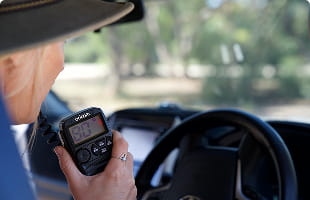
Like having two radios in one!
We love that it feels like we have two radios in one and we now feel that much safer touring Australia with the right safety system on board with us!
SHOP DTX4200XP


GPS/WIFI

PARKING MODE

WIDE 130 DEGREE VIEWING ANGLE

LOOP RECORDING

3" IPS DISPLAY

The Oricom DC460R records in ultra-clear 4K up front and sharp 2K at the rear, so number plates, road signs and fine detail stay legible day or night — giving you a reliable witness every time you drive.

A wide 130° viewing angle paired with WDR (Wide Dynamic Range) technology captures the whole road and balances harsh light, delivering clear footage in bright daylight and low-light conditions alike.

Advanced parking mode keeps watch while you're away, using motion and impact detection to record incidents automatically, while the built-in G-sensor instantly locks emergency footage so it can't be overwritten by loop recording.
ULTRA-CLEAR 4K FRONT & 2K REAR RECORDING: Capture every detail with high-resolution dual camera coverage
WIDE 130° VIEWING ANGLE: See more of the road and minimise blind spots.
BUILT-IN GPS: Records speed, location and driving routes for added peace of mind.
5G WIFI 6 CONNECTIVITY: Fast, stable connection for easy access via smartphone app.
ADVANCED PARKING MONITOR: 24/7 Protection with G Sensor activation while parked.
G-SENSOR EMERGENCY RECORDING: Automatically locks critical footage during incidents.
WDR TECHNOLOGY: Clear vision in both bright daylight and low-light conditions
LOOP RECORDING: Continuous recording by automatically overwriting old footage
SUPPORTS UP TO 256GB STORAGE (64GB SD CARD INCLUDED): More space for longer recording time.
3” IPS DISPLAY: Sharp screen for playback, settings and optional speed screensaver.
H.265 VIDEO COMPRESSION: High-quality video with efficient storage use.
2 YEAR WARRANTY
 5M Satisfied customers and counting
 23+ Years of experience
 Award winning brand across all categories
 Thousands of 5 star reviews
Like having two radios in one!
We love that it feels like we have two radios in one and we now feel that much safer touring Australia with the right safety system on board with us!
SHOP DTX4200XP
Easy to install and high quality
Really happy with the radio so far. The installation was straight forward and the quality is great.
SHOP UHF360R
Love this handheld radio!
Have dropped it many times in water and dust, so the high visability colour + water proofing has really helped.
SHOP DTX600OR
Easy to relocate with great app
I love this wireless reversing camera, great app with clear easy views, easy to relocate between my ute reversing up to the draw bar and then onto the caravan when reversing into camp sites!
SHOP WRC001

Excellent piece of kit
The Oricom TPMS is an excellent piece of kit and a highly reliable insurance policy for your rubber, especially if you tackle regional touring, off-roading, or heavy towing. Its greatest strengths lie in its life-saving early warnings for slow leaks.
SHOP TPMS10The DC460R comes with a 64GB SD card included, so you can start recording straight away. It also supports cards up to 256GB if you'd like extra storage for longer recording history. We recommend using a Class 10 (or higher) rated microSD card for reliable performance, and formatting it periodically through the device menu to keep it running smoothly.
Simply download the companion app by scanning the QR code shown on the dash cam's WiFi screen. Turn on WiFi on the device (long press the Menu button), then open the app, select "Connect to Dashcam," and enter the displayed WiFi name and password.
Loop recording keeps your dash cam recording continuously in short segments (1, 3 or 5 minutes), automatically overwriting the oldest footage once your SD card is full. This means you never have to manually delete files — the DC460R always has space to keep recording.
No. The built-in G-sensor detects sudden impacts (like a collision) and automatically locks that specific video file, protecting it from being deleted or overwritten by loop recording. You can also adjust G-sensor sensitivity (Low/Medium/High) in the settings to suit your driving style.
Parking monitoring requires the dash cam to be connected via the included hardwire kit, which safely draws a small amount of power from your vehicle while it's off. Once connected, parking mode options appear in the menu automatically, giving you 24/7 motion and impact detection even when you've left the car.
The GPS logs your speed, location and driving route, and can display this as a watermark on your footage (this can be turned on or off in settings). You can also check your current GPS signal strength directly from the menu, so you always know it's tracking correctly.
The DC460R's OI Alerts give you an audible or visual warning as you approach fixed speed cameras and red-light cameras, helping you stay aware and drive more confidently on familiar or unfamiliar roads.
The DC460R records in ultra-clear 2K on both the front and rear cameras by default, giving you sharp, reliable detail for number plates and road signs. Resolution and other display settings can be fine-tuned via the on-screen menu to suit your preferences.
The DC460R can be powered via the included 12V adaptor for straightforward plug-and-play use, or wired in more permanently using the included hardwire kit — recommended if you want to use the parking monitor function. Full step-by-step installation guidance is included in the box.
