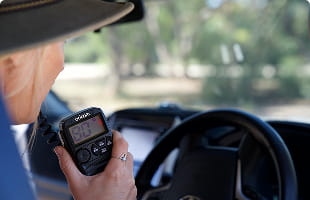
Like having two radios in one!
We love that it feels like we have two radios in one and we now feel that much safer touring Australia with the right safety system on board with us!
SHOP DTX4200XP

The Safety Eye app is the free companion app for the Oricom WRC001 Wireless Reversing Camera. It streams the camera's live feed straight to your smartphone or tablet, giving you a clear view behind your vehicle for reversing, hitching up a caravan or trailer, and general monitoring — with no wiring, no monitor, and no permanent installation required. Just power on the camera, connect over Wi-Fi, and open the app.
Because the WRC001 uses infrared night vision and a wide-angle lens, the app shows crisp black-and-white footage in the dark and vibrant colour by day, so you always have full visibility around your vehicle. The app is free to download and works on both iPhone/iPad and Android devices.
Good to know before you download: on Apple devices the app is called Safety Eye (available on the App Store), while on Android it's called Safety Cam (available on Google Play). Both do exactly the same job with your WRC001 — the different names are just how each app appears in the two stores.


 5M Satisfied customers and counting
 23+ Years of experience
 Award winning brand across all categories
 Thousands of 5 star reviews
Like having two radios in one!
We love that it feels like we have two radios in one and we now feel that much safer touring Australia with the right safety system on board with us!
SHOP DTX4200XP
Easy to install and high quality
Really happy with the radio so far. The installation was straight forward and the quality is great.
SHOP UHF360R
Love this handheld radio!
Have dropped it many times in water and dust, so the high visability colour + water proofing has really helped.
SHOP DTX600OR
Easy to relocate with great app
I love this wireless reversing camera, great app with clear easy views, easy to relocate between my ute reversing up to the draw bar and then onto the caravan when reversing into camp sites!
SHOP WRC001

Excellent piece of kit
The Oricom TPMS is an excellent piece of kit and a highly reliable insurance policy for your rubber, especially if you tackle regional touring, off-roading, or heavy towing. Its greatest strengths lie in its life-saving early warnings for slow leaks.
SHOP TPMS10Download and install the Safety Eye app from the App Store (you can also scan the QR code in your WRC001 manual).
Turn the camera on and give it about a minute to start up.
Go to your phone's Wi-Fi settings and select the network beginning with SONIX…
Open the Safety Eye app — you're now connected and viewing the live feed.
Download and install the Safety Cam app from Google Play (or scan the QR code in your WRC001 manual).
Turn the camera on and give it about a minute to start up.
Open the Safety Cam app, select the SONIX… device, and confirm.
You're now connected and viewing the live feed.
Safety Eye is the free app that pairs with the Oricom WRC001 Wireless Reversing Camera. It lets you view the camera's live feed on your smartphone or tablet over Wi-Fi, so you can see behind your vehicle while reversing, hitching up, or monitoring your surroundings — without installing a dedicated monitor or running any cables.
Yes. The app is free to download from both the Apple App Store and Google Play. There are no subscriptions or in-app fees to use it with your WRC001.
It's the same functionality under two names — the Apple version is listed as Safety Eye and the Android version is listed as Safety Cam . If you can't find "Safety Eye" on Google Play, search for Safety Cam instead. Scanning the QR code in your WRC001 manual will always take you to the correct app for your device.
No. The WRC001 creates its own Wi-Fi signal (shown as SONIX… ), and your phone connects directly to the camera. You don't need an internet connection, a home network, or a mobile data connection for the app to work.
This is almost always a location-services issue. Make sure location services are turned on for the app, both during setup and in your device's settings, then try again. It also helps to power the camera on and wait around a minute before opening the app so it has fully started up.
